

Broadcast graphicsWindows · macOS
Lower thirds.On air.
Design graphics without code. Take them to air from Kinetra, a Stream Deck or one HTTP request. Free, open source, and light on CPU and memory.
Data in.
Graphics out.
Feed it a sheet, an HTTP request or a Stream Deck. Kinetra sends the graphics to OBS, vMix, NDI and any browser.
Inputs: Google Sheets (Live data), HTTP · JSON · CSV (Live data), Control API (REST · WebSocket), Companion (Stream Deck).
Outputs: OBS (Browser source), vMix (Web browser input), NDI (Windows · Beta), Browser (Any screen, by URL).
Nine styles.
Change anything.
Lower thirds, titles, tickers, bugs, countdowns, scoreboards and more, each in nine styles. Edit colours and fonts in the designer. Open the HTML and CSS when you want to.
Real renders from the app's template library.
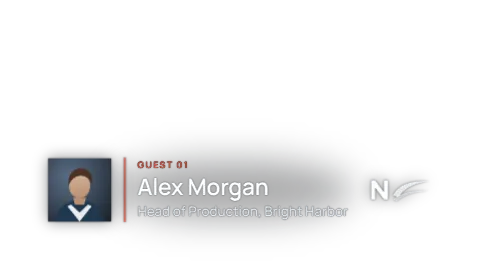
01MinimalQuiet type on a hairline, no plates: the picture stays the star. 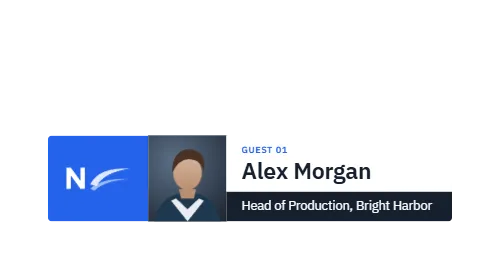
02CorporateSolid panels, a clean sans and a brand-color edge for conferences and town halls. 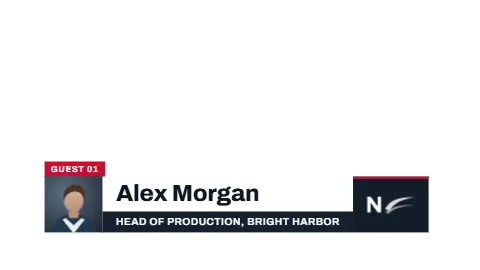
03NewsBold straps, strong contrast and a hard accent, built for fast information. 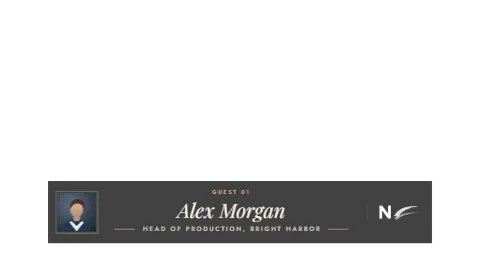
04ElegantSerif headlines, generous spacing and soft fades for galas and culture. 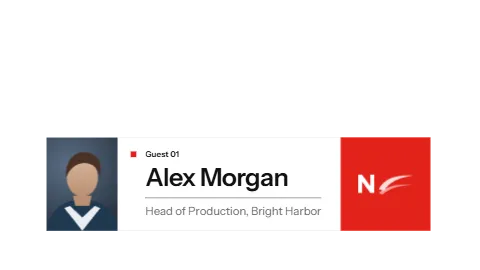
05SwissA strict grid, flush-left type and one strong field of color. 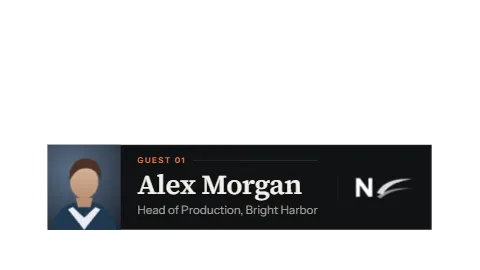
06EditorialMagazine hierarchy: large headlines, small-caps kickers and fine rules. 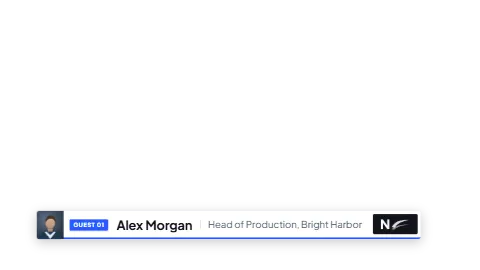
07InlineEverything on one line: compact single-row straps with an auto-out bar. 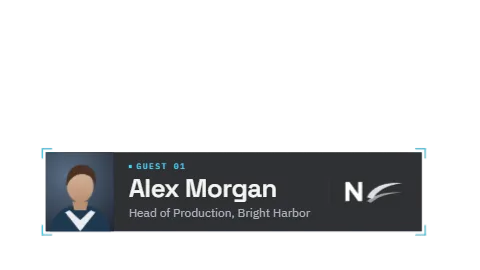
08FrameKinetra's signature: viewfinder brackets, mono labels. 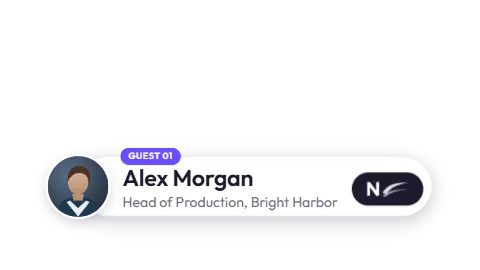
09PillRounded capsules and friendly type for streams and community shows.
One request.
On air.
Turn on the Control API, copy the token, send a request. Set the text and take it in the same call. Free, no Pro needed.
Preferences › Network & API › Control API
curl -X PATCH \
  http://127.0.0.1:7770/api/layers/s1main01ab/l1/fields \
  -H "Authorization: Bearer $TOKEN" \
  -H "Content-Type: application/json" \
  -d '{"values":{"name":"Emma Carter","title":"Keynote speaker"},"take":true}'
HTTP/1.1 200 OK
{"ok":true}
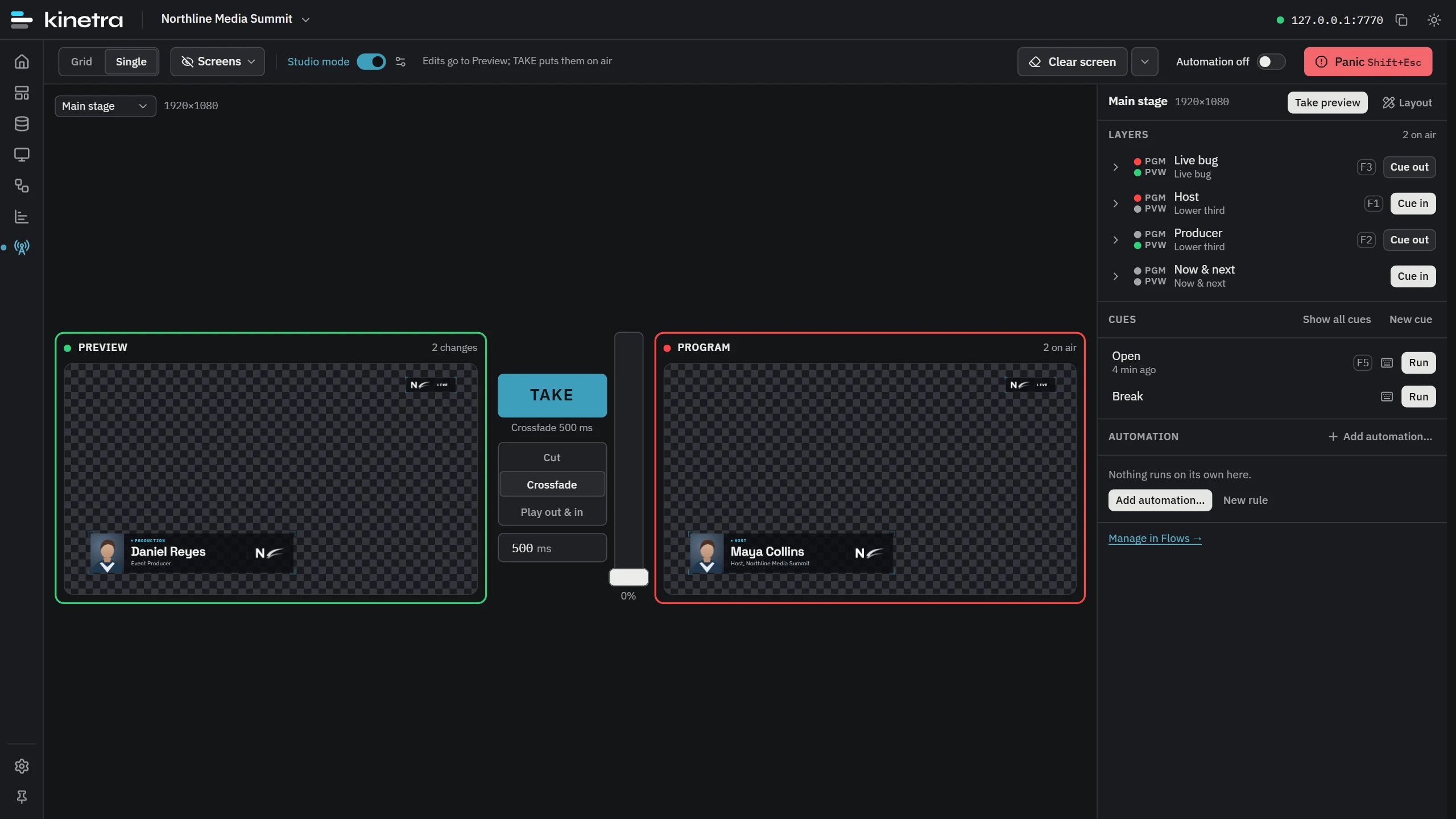
- Stream Deck, via the Bitfocus Companion moduleTally on the keys
- OSC, MIDI and hotkeysMIDI on Windows
- Cues and flows, on a timer or a time of dayBuilt in
- Remote control from anywhere over the internetPro · Beta
What it does.
Build the graphics before the show. Run them live from one window.
- Studio mode
Preview, then Program
Line up the next graphic, check it, take it with a transition.
- Sources
Live data
Google Sheets, JSON, CSV or any HTTP request. Graphics update with the data.
- Automation
Cues and flows
Run the show in order, on a timer, at a time of day or from an API call.
- Outputs
Stream and venue screen at once
Several screens, each with its own URL. Full-screen display outputs on Windows.
- Safety
PANIC
Clears every screen at once. No animation, no waiting.
- Offline
Runs without internet after first sign-in
Sign in once; after that the show runs locally. How long it can stay offline is in the FAQ.
- Lightweight
Light on the machine
Low CPU and memory use.
- Pro
Live polls and AI templates
Audience polls on screen, and templates generated from a description.
No code.
Unless you want it.
Pick a style, fill in the fields or connect a sheet. Change colours and fonts visually. When you need something the designer doesn't do, the HTML and CSS are right there.
Or describe the graphic and let AI build the template.
AI templates: Pro and Team
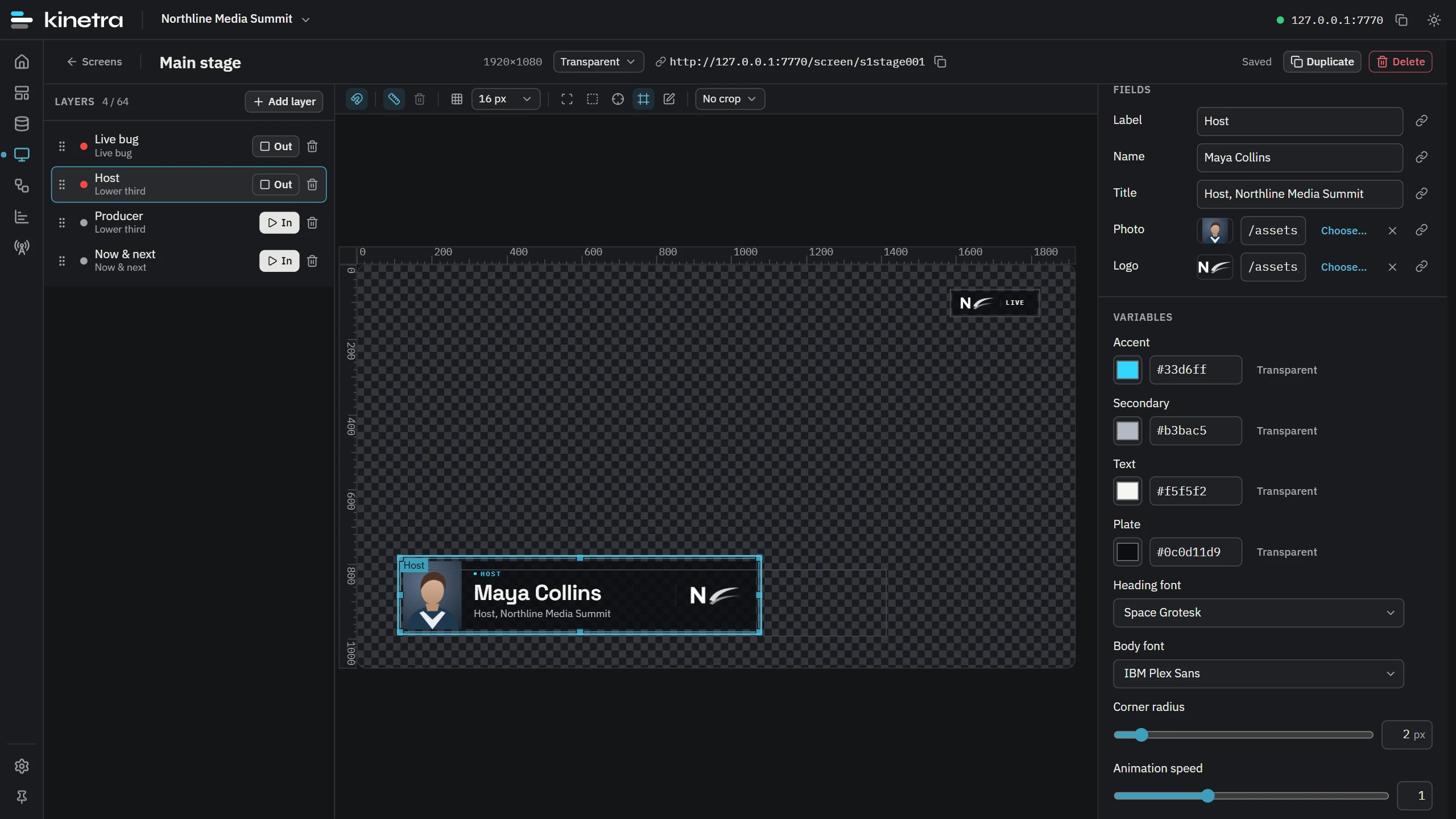
- 1Layers Every graphic on the screen is a layer, with its own In and Out.
- 2A URL per screen Add it as a browser source in OBS or vMix, or open it in any browser.
- 3Canvas Place and size graphics on the 1920×1080 frame, with rulers and a grid.
- 4Fields What the operator fills in: label, name, title, a photo, a logo.
- 5Variables Colours, fonts, corner radius and animation speed, set visually.
Open source
The whole app is free and open source. Every feature that runs on your computer, no time limit.
$ git clone https://github.com/KinetraLive/kinetra-app.gitRead the code, report a bug or send a pull request on GitHub (opens in a new tab).
Can't use the AGPL? Commercial licences are available: [email protected]
Made in Norway by Rørvik Medieteknikk
Free app.
Paid cloud.
Everything that runs on your computer is free. Pro and Team pay for the services we run for you: AI templates, live polls, cloud backup and remote control.
| KinetraFreeand open source | Kinetra Pro$20/ month per computer | Kinetra Team$150/ month | |
|---|---|---|---|
| Computers | Any computer | Choose the number of computers at checkout. | Includes 3 computers, +$15 per extra computer |
| The app | All non-cloud features unlocked | Everything in Free | Everything in Free |
| Generate templates with AI | — | 50 generations a month (10 a day), 300 edits | 150 generations a month (30 a day), 1,000 edits |
| Live polls | — | 3 open at once, 30 a month, 500 votes per poll | 15 open at once, 50 a month, 2,000 votes per poll |
| Cloud backup | — | 20 GB, 30 days of versions | 100 GB, 90 days of versions |
| Remote control | — | 5 collaborators per show, 1 show live at a time | 25 collaborators per show, 5 shows live at a time |
| Support | Community | By email | By email, prioritized replies |
| Download | Plans and terms | Plans and terms |
Kinetra
Free and open source
- Computers
- Any computer
- The app
- All non-cloud features unlocked
- Support
- Community
Kinetra Pro
$20 / month per computer
- Computers
- Choose the number of computers at checkout.
- The app
- Everything in Free
- Generate templates with AI
- 50 generations a month (10 a day), 300 edits
- Live polls
- 3 open at once, 30 a month, 500 votes per poll
- Cloud backup
- 20 GB, 30 days of versions
- Remote control
- 5 collaborators per show, 1 show live at a time
- Support
- By email
Kinetra Team
$150 / month
- Computers
- Includes 3 computers, +$15 per extra computer
- The app
- Everything in Free
- Generate templates with AI
- 150 generations a month (30 a day), 1,000 edits
- Live polls
- 15 open at once, 50 a month, 2,000 votes per poll
- Cloud backup
- 100 GB, 90 days of versions
- Remote control
- 25 collaborators per show, 5 shows live at a time
- Support
- By email, prioritized replies
Billed monthly, cancel anytime. Prices exclude VAT. 30-day money-back guarantee on every payment. Full pricing, terms and refunds
Make Kinetra with us.
Ask questions, share templates, report bugs and tell us what to build next. The people making Kinetra are in the Discord too.
Join the Discord(opens in a new tab)GitHub(opens in a new tab)
Join the beta
Early access and news about the beta. No spam.
Questions
Is Kinetra really free?
Yes. The app is free and open source, with every feature that runs on your computer and no time limit. Kinetra Pro and Team are optional subscriptions for cloud services: AI templates, live polls, cloud backup and remote control.
Does it need internet during the show?
Not after the first sign-in. Kinetra runs locally, so your graphics keep running without a connection. Online data sources and the cloud services need one.
How long can Kinetra stay offline?
Kinetra checks your licence when it's online. Offline, the licence stays fully valid for 30 days. For the 14 days after that, Kinetra runs with limits: Pro and Team features are limited until it connects. After 44 days offline the computer is on the free plan until it connects again. Going online once starts the 30 days over.
Which computers does it run on?
Windows 10 or later, and macOS 11 or later on Apple silicon or Intel. On a Mac everything works except full-screen display outputs and MIDI, which are Windows only for now; browser sources for OBS and vMix work the same on both.
Do I need to know HTML or design?
No. The styles work out of the box and you edit them visually. HTML and CSS are there if you want to build your own.
More about plans and licensing on the pricing page.
Ready for
your next show.
Free for Windows and macOS